

Add one-time job
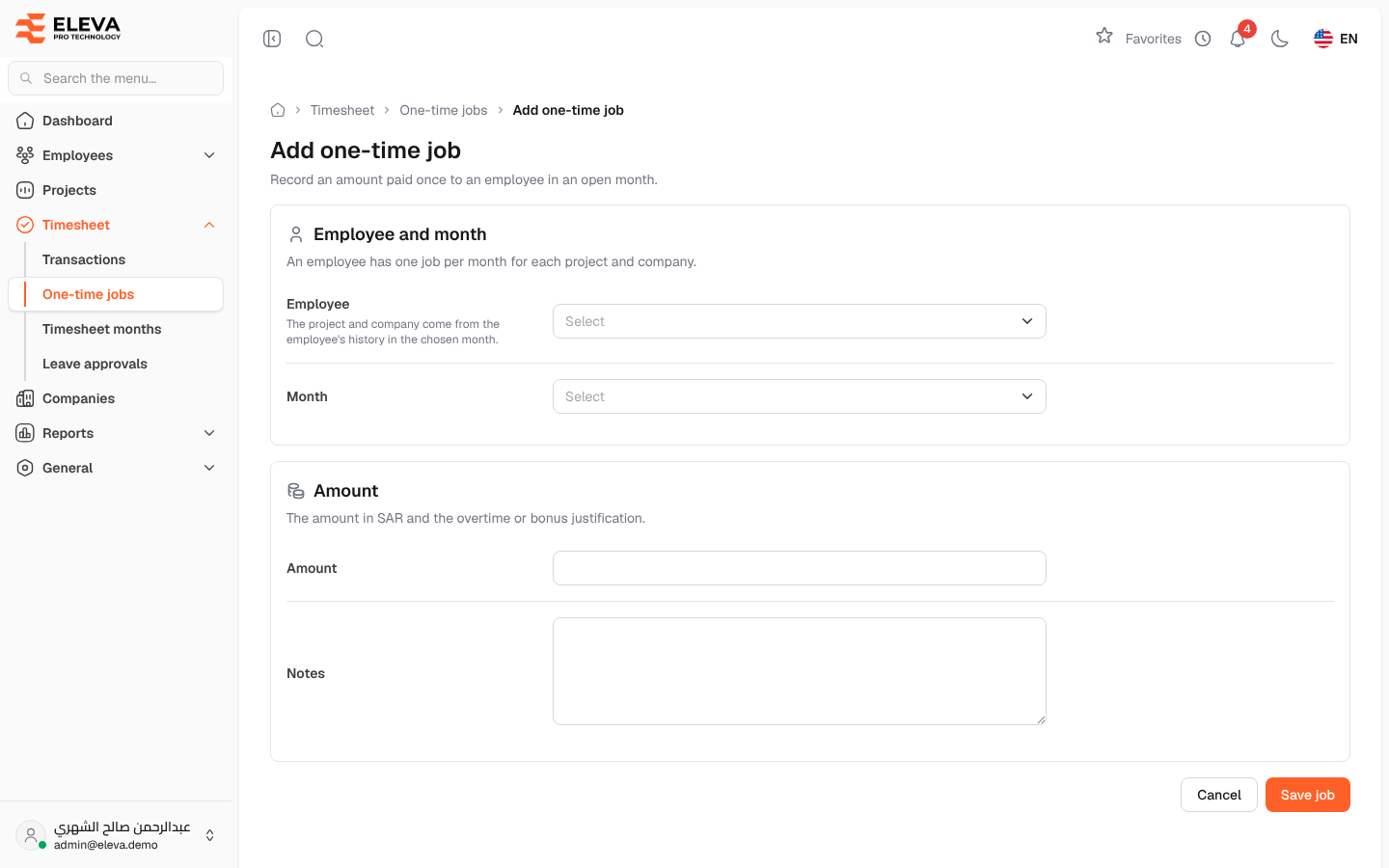
Add a one-time job to record an amount paid once to an employee in an open month, for example overtime or a bonus, together with its justification. You can also enter the same amount directly in the month’s timesheet grid.
How to add a one-time job
Section titled “How to add a one-time job”- From the side menu, open Timesheet › One-time jobs.
- Click Add one-time job.
- Fill in the fields described below.
- Click Save job, or Cancel to go back without saving.
- After saving you return to the one-time jobs list.
Fields
Section titled “Fields”Employee and month
- Employee (required) — the employee. Only active employees are listed, with their code; rent employees are not.
- Month (required) — the timesheet month. Only months that are still open are listed.
The project and company are not chosen here: they come from the employee’s history in the chosen month.
Amount
- Amount (required) — the amount in SAR, zero or more.
- Notes — the overtime or bonus justification, up to 500 characters.
How to edit a one-time job
Section titled “How to edit a one-time job”- Open the job from the list and click Edit, or click the pencil icon in the list.
- Change the employee, the month, the amount or the notes.
- Click Save changes.
If the job’s month has been locked or is being locked, the form shows a warning and the changes cannot be saved.
Required permissions
Section titled “Required permissions”- One-time jobs — Create to add a job, Edit to change one.
- A supervisor can only choose their own employees.